
IPTV Box 2026 Review: Features, Setup & Best Channels Guide
📖 Estimated read time: 15 minutes (2833 words)
📋 Table of Contents
- Understanding IPTV Boxes: Your Complete Guide to Streaming Entertainment
- What Is an IPTV Box, Really?
- How IPTV Boxes Actually Work
- Key Features You’ll Actually Use
- Device Compatibility and What You’ll Need
- Pricing and Value Proposition
- Getting Started: The Setup Process
- The Honest Pros and Cons
- Common Mistakes People Make
- Is an IPTV Box Really Worth It?
- Frequently Asked Questions
- The Final Verdict
Understanding IPTV Boxes: Your Complete Guide to Streaming Entertainment
If you’ve been curious about cutting the cord but aren’t sure where to start, you’ve probably heard the term “IPTV box” thrown around. Maybe you’re wondering what exactly it is, how it works, or whether it’s actually worth your money. That’s exactly what we’re going to break down today—in plain English, without the tech jargon overload.
The streaming landscape has changed dramatically over the past decade. Gone are the days when cable was your only option. Now there are dozens of ways to watch your favorite shows, movies, and live events. An iptv box is one of those options, and it might be exactly what you’re looking for. Let’s dig into what makes these devices tick and whether they deserve a spot in your living room.
What Is an IPTV Box, Really?
Let’s start with the basics. IPTV stands for “Internet Protocol Television,” which sounds more complicated than it actually is. Think of it this way: instead of receiving television through traditional cable lines or satellite dishes, an IPTV box delivers video content directly through your internet connection.
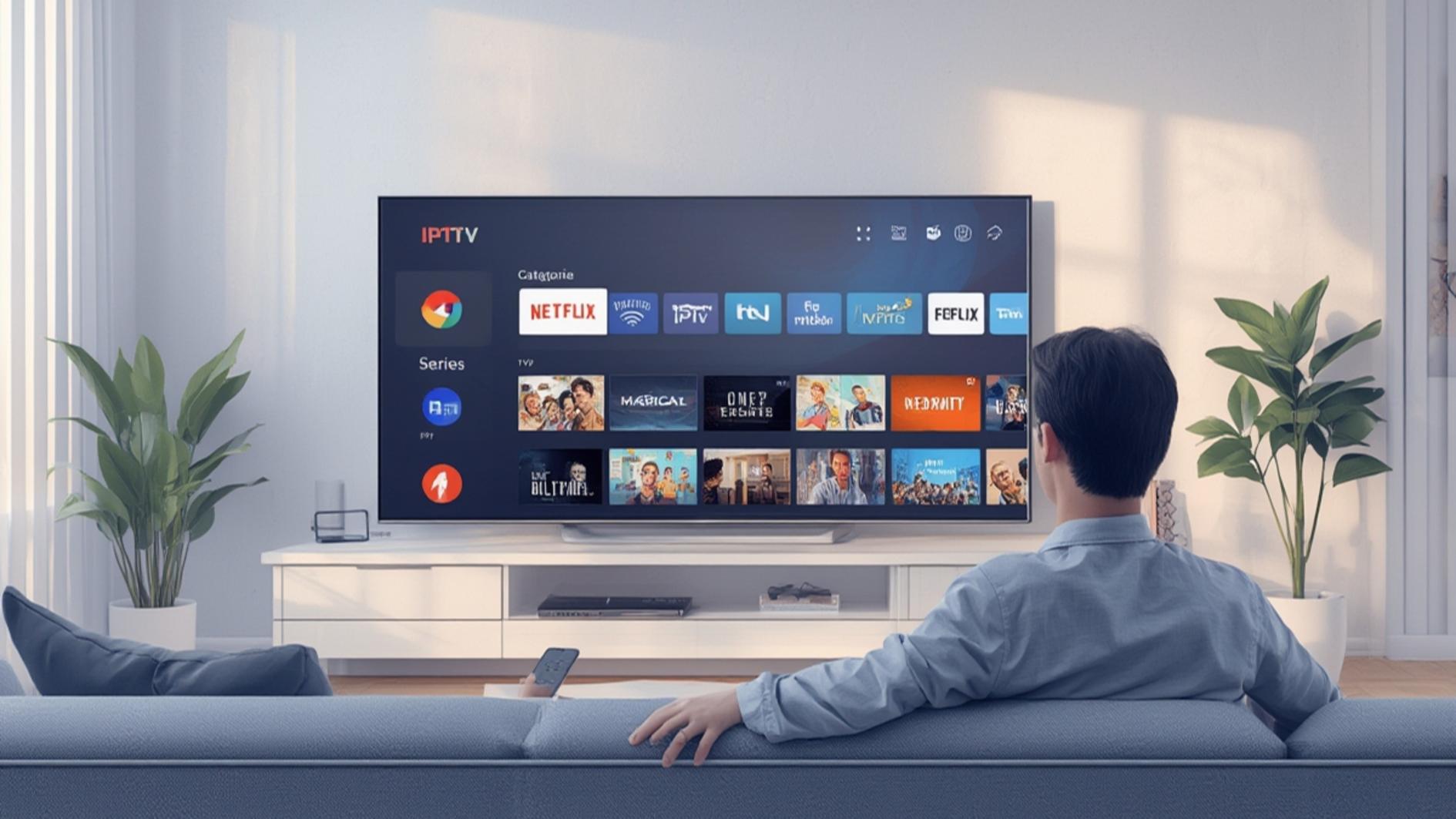
An IPTV box is essentially a device that sits between your internet router and your TV. It decodes digital video streams and displays them on your screen. It’s similar in concept to how Netflix or YouTube works on your Smart TV, but with some key differences we’ll explore in a moment.
The device connects to your home network via Wi-Fi or ethernet cable. Once connected, you get access to a digital library of content—everything from live TV channels to on-demand movies and shows. Some IPTV services also offer sports packages, international channels, and premium content, depending on the provider.
How IPTV Boxes Actually Work
Here’s the simplified version: when you select a channel or show, the IPTV box sends a request through your internet connection to the IPTV provider’s server. The server then streams that content directly to your device, which converts it into a format your TV can display. It happens almost instantly, which is why it feels so seamless.
The quality of your experience depends on a few factors. Your internet speed is crucial—most IPTV services recommend at least 15-25 Mbps for HD content and 50 Mbps for 4K. Your router’s strength matters too. If you’re using Wi-Fi, make sure you’re getting a strong signal. Ethernet is always more stable if you can run a cable.
One thing that makes IPTV different from regular streaming apps is that many services offer live TV channels. This means you get the traditional TV experience—channel surfing, live sports, news broadcasts—but delivered through the internet instead of through cables or satellites.
Key Features You’ll Actually Use
Modern IPTV boxes come packed with features. Here’s what you’ll typically find:
-
-
- Electronic Program Guide (EPG): A searchable TV schedule that shows what’s on right now and what’s coming up. It’s way more convenient than flipping through channels.
- Video on Demand (VOD): Access to thousands of movies and shows you can watch whenever you want. No waiting for specific air times.
- Recording Capabilities: Many boxes let you record live TV so you can watch it later. Perfect for those times you’re busy when your favorite show airs.
- Multi-Screen Watching: Some services let you watch on multiple devices simultaneously. You could have the game on the living room TV while someone streams a movie in the bedroom.
- Pause and Rewind Live TV: Life gets in the way sometimes. With most IPTV boxes, you can pause live broadcasts and rewind if you missed something important.
- User Profiles: Different family members can have their own accounts with personalized recommendations and watch history.
-
These features vary depending on which provider and box model you choose. Not every service includes all of them, so it’s worth checking the specifics before committing.
Device Compatibility and What You’ll Need
This is where things get practical. An IPTV box works with pretty much any TV made in the last 10-15 years. If your television has an HDMI port (and let’s be honest, most do), you’re good to go. The box connects via HDMI cable, and you’re ready to start streaming.
Beyond the TV, you’ll need a few things. A reliable internet connection is non-negotiable. A wired ethernet connection is ideal, but a strong Wi-Fi signal works too. You’ll also need a power outlet near your TV for the box itself.
Most modern IPTV boxes are fairly compact—about the size of a DVD player or smaller. They typically come with a remote control, and many now support voice commands if you want that extra convenience. Some boxes also let you control them through smartphone apps, which is genuinely useful when you can’t find the physical remote.
It’s worth noting that some IPTV services don’t require a physical box at all. You can stream through apps on Smart TVs, tablets, or phones. However, dedicated boxes often provide better performance and reliability than relying on your TV’s built-in apps or external streaming sticks.
Pricing and Value Proposition
This is probably the question on your mind: how much will this cost you? The answer depends on where you’re coming from and what you’re looking for.
An IPTV box itself typically ranges from $50 to $300, depending on the quality and features. Then you’ve got the subscription cost for the content. This is where it gets interesting because pricing varies wildly. Some basic packages run around $10-20 monthly, while premium packages with more channels, sports, or 4K content can run $30-60 or more.
Compare that to traditional cable, which can easily run $100-200 per month, and you can see why people are interested. Even if you combine an IPTV subscription with Netflix, Disney+, and one or two other streaming services, you’re likely still spending less than you would for cable.
The value really depends on your needs. If you’re a big sports fan and want comprehensive coverage, an IPTV service might be cheaper than getting a sports-focused cable package plus all the equipment fees. If you mainly want on-demand movies and shows, you might find that individual streaming services better suit your tastes.
One quality alternative worth checking out is tv4one.com, which offers competitive pricing and a solid selection of channels. It’s one of several providers worth comparing before making your decision.
Getting Started: The Setup Process
Good news: setting up an IPTV box is usually straightforward, even if you’re not particularly tech-savvy. Here’s the typical process:
First, you’ll unbox the device and connect it to your TV using the HDMI cable. Plug in the power adapter. Connect to your internet—either via ethernet (which I recommend) or Wi-Fi. Power on the box and follow the on-screen setup wizard.
The wizard will typically ask you to select your language, connect to the internet, and enter your subscription credentials. Some boxes have the IPTV app pre-installed, while others require you to download it from an app store. Either way, it shouldn’t take more than 10-15 minutes.
After setup, you’ll get access to your service’s content library. Spend some time exploring the menu structure and familiarizing yourself with how to search for content, browse channels, and adjust settings. Most IPTV boxes have intuitive interfaces these days, but every service is slightly different.
One tip: if you run into connection issues during setup, restart your router and try again. Many setup problems are simply due to network connectivity, which often resolves itself with a quick restart.
The Honest Pros and Cons
Let’s be real about this. IPTV boxes aren’t perfect for everyone, and it’s important you understand both sides before investing.
The Pros:
-
-
- Cost-effective compared to cable television
- Access to live TV and on-demand content in one device
- More flexibility in package selection (you’re not forced into bundles)
- Works with any TV that has an HDMI port
- Relatively small and unobtrusive
- Easy setup process for most users
- Features like pause, rewind, and recording on live TV
-
The Cons:
-
-
- Heavily dependent on internet quality and speed
- Buffering can occur during peak hours or with slower connections
- Some services are less reliable than others (provider matters a lot)
- Content offerings vary significantly by provider
- Legal status is murky with some services—be careful what you choose
- Customer support can be hit or miss
- No physical channels to flip through the old-fashioned way (if that matters to you)
-
The biggest consideration is your internet reliability. If you’re in an area with spotty or slow internet, streaming-based solutions like IPTV boxes might frustrate you more than traditional cable. Conversely, if you have solid, fast internet, an IPTV box could be transformative for your viewing experience.
Common Mistakes People Make
After looking at countless reviews and hearing from users, some patterns emerge. Here are the mistakes I see repeatedly:
Not checking internet speed first: People buy an IPTV box only to discover their internet can’t handle it. Check your speed before purchasing. You need at least 10-15 Mbps for reliable HD streaming.
Cheap out on the device itself: The cheapest IPTV boxes often have outdated processors, poor build quality, and limited software support. Spending a bit more upfront usually means better performance and longevity.
Choosing the wrong provider: Not all IPTV providers are created equal. Some have unreliable streaming, poor channel selection, or sketchy practices. Research reviews before committing. Checking sites like tv4one.com or other reputable sources can help you avoid bad experiences.
Using Wi-Fi instead of ethernet: While Wi-Fi works, a wired connection is always more stable. If you have the option, run an ethernet cable to your IPTV box.
Ignoring the legality factor: Some IPTV services operate in legal gray areas or outright steal content. Stick with legitimate providers. You might pay a bit more, but you won’t have to worry about technical issues or legal consequences.
Not testing during a trial period: Many IPTV services offer free trials. Use them! Test the service with your internet connection and device setup before paying for a full subscription.
Is an IPTV Box Really Worth It?
Here’s the honest answer: it depends on your specific situation.
An IPTV box makes sense if you’re tired of paying cable bills, you have reliable high-speed internet, and you want flexibility in what you watch and when you watch it. It’s particularly appealing if you want live TV options that streaming-only services don’t provide.
It’s less appealing if your internet is unreliable, you only want on-demand content (in which case traditional streaming services might be better), or you’re deeply committed to specific channels that aren’t available through IPTV providers.
The financial argument is compelling. Over the course of a year, an IPTV box and subscription will almost certainly cost less than cable. That money adds up. If you’re paying $150 monthly for cable and could cut that to $40 monthly with an IPTV service, you’re saving $1,320 annually. That’s significant.
My recommendation? If you’re even moderately interested, try it. Many providers offer trial periods or money-back guarantees. Use that opportunity to test the service with your internet and TV setup. If it works well, you’ll likely be happy with the switch. If it doesn’t, you haven’t lost much beyond a little time.
Frequently Asked Questions
Can I use an IPTV box with any internet provider?
Yes, IPTV boxes work with any internet provider. What matters is your internet speed and stability, not who provides it. Make sure your connection meets the minimum requirements for the service you choose.
What’s the difference between an IPTV box and a streaming stick like Roku or Fire Stick?
Good question. Streaming sticks are primarily designed for on-demand content like Netflix and YouTube. While they can access some IPTV apps, dedicated IPTV boxes are optimized for live TV streaming and typically have better performance for that purpose. They’re also often more powerful hardware-wise.
Do I need to maintain a subscription, or can I buy content?
Most IPTV services operate on subscription models—you pay monthly to access their content. Some services offer both subscription options and pay-per-view for certain premium events. It varies by provider.
Will my IPTV service work if I travel or move to a different city?
Generally yes, as long as you have an internet connection wherever you are. Some services do have geographic restrictions, so check with your provider’s terms. Your local channel availability might change depending on where you are, but your service should work.
How often do IPTV boxes need updates?
Most boxes update regularly through their internet connection, sometimes automatically and sometimes with your permission. These updates improve performance, add features, and patch security issues. As long as your box is connected to the internet, it’ll stay current.
Can multiple people watch at the same time on one IPTV box?
No, a single IPTV box can only display one stream at a time to one TV. However, many IPTV services allow simultaneous streams on different devices (like phones, tablets, or computers) through their apps. Check your service’s terms for exactly how many simultaneous streams you get.
The Final Verdict
An IPTV box is a legitimate option for anyone looking to reduce their media costs while maintaining access to live TV and on-demand content. It’s not perfect—the quality of your experience depends heavily on your internet connection and which provider you choose—but when conditions are right, it’s genuinely impressive.
The technology is mature, the devices are affordable, and the monthly costs are significantly lower than traditional cable. The biggest barrier is just taking the leap and trying it out.
If you’re on the fence, do yourself a favor: research a reputable provider, take advantage of any trial period they offer, and see how it works with your internet and TV setup. That real-world test will tell you far more than any article can.
Whether you ultimately choose an IPTV box or stick with traditional streaming services or cable, what matters is finding a solution that fits your viewing habits and budget. The good news is that you have options now—and that’s something to celebrate.
“`
💡 Recommended Provider
For a reliable streaming experience, many users trust TV4ONE for its fast activation and stable performance.

Hi, I’m Baker Magil, an entrepreneur based in the United States and the founder & CEO of StreamsReview.com — a platform dedicated to bringing honesty and clarity to the world of IPTV and streaming services.
A few years ago, I was just like many streaming enthusiasts: searching for a reliable way to watch my favorite channels online. I tried countless IPTV services, each promising HD quality and thousands of channels, yet most left me frustrated with buffering, poor support, and wasted money.
Then, one night, during a big game, yet another service failed me. Instead of giving up, I realized there had to be a better way. I began testing IPTV services myself — comparing features, performance, and customer experience — to uncover which providers truly delivered and which fell short.
What started as a personal quest quickly grew into StreamsReview.com. Today, it’s a trusted platform where users can discover the best streaming services through real testing, transparent reviews, and detailed analysis — helping people make informed choices without the frustration I once faced.